Sid Meier's Civilization VI

Sid Meier's Civilization VI

75 ratings
[EASY]How to Upload a Map to Workshop in Civilization 6 (VI) And Play Multiplayer
By sk
Step by step guide how to upload a map to Workshop and play it with your friends. Consider rating this guide
2
10
   
Award

Favorite
Favorited
Unfavorite
What You will need:
- Civilization VI
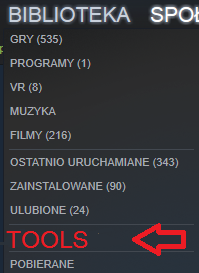
- Civilization VI Development Tools (LIBRARY/ Tools/)


You only need Development Tools (It's only a few hundred MB)

Getting Started
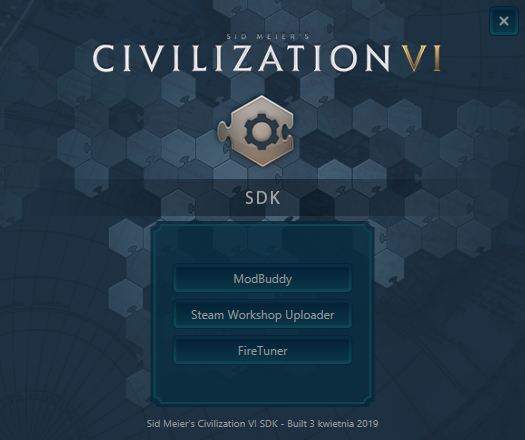
-Open Civilization VI Development Tools
-Select Mod Buddy


If you don't have Visual Studio 2013, you may be prompted with 800MB Install (do that).

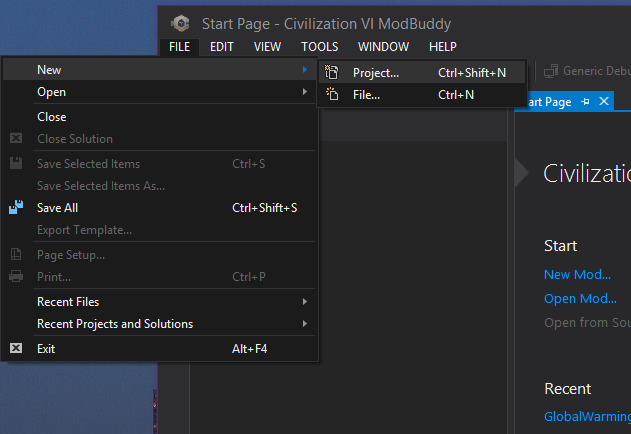
Create a New File (FILE/New/Project.../)


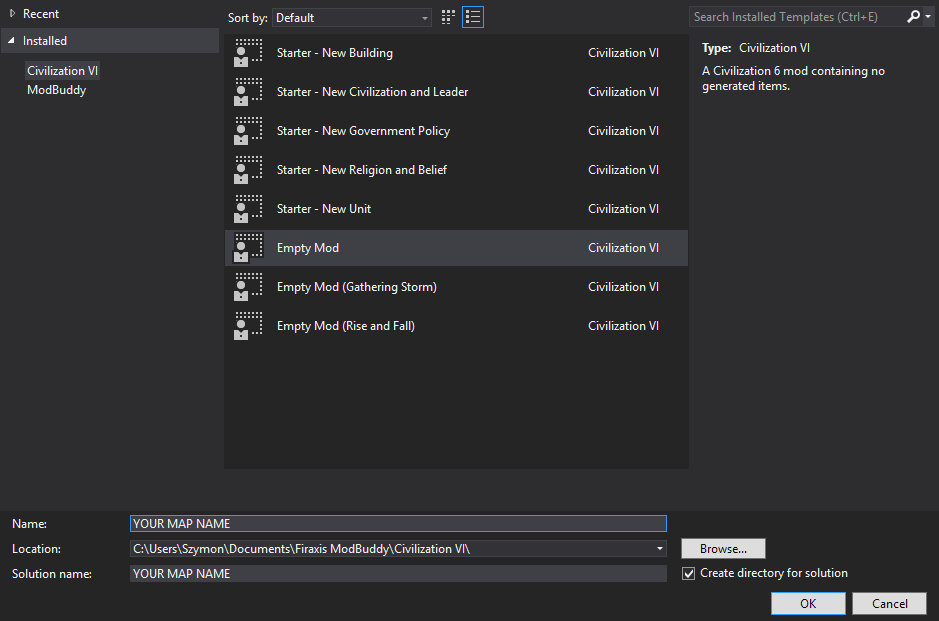
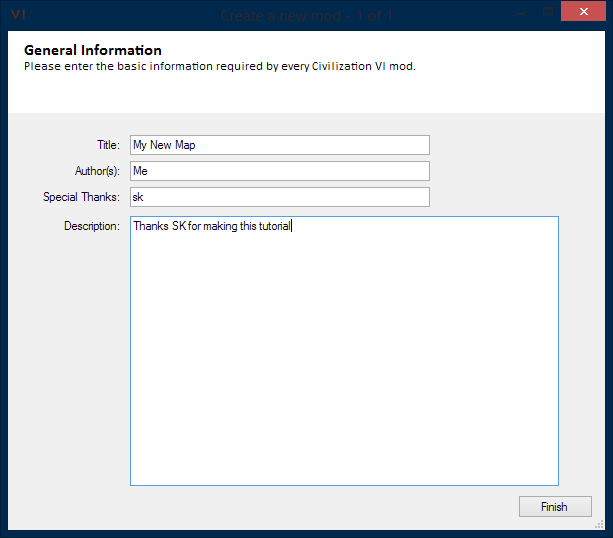
Select an Empty Mod, and name It however you like (I'd advise to name it the same as your map)


Write something in there...


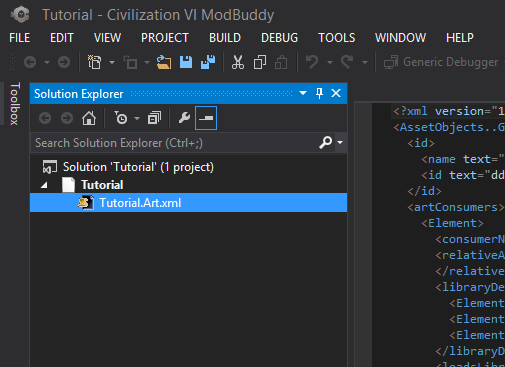
Delete this .xml file


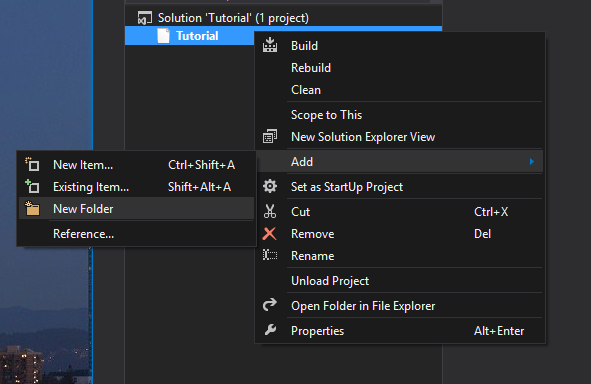
Create a New Folder and name it Maps


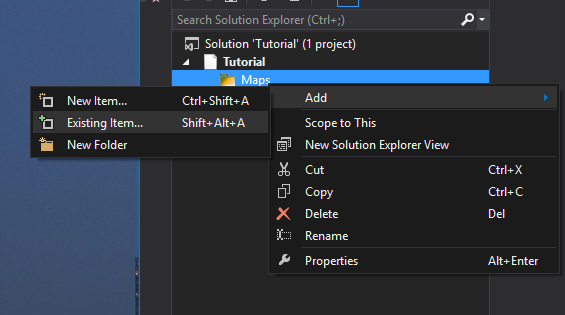
Add existing item


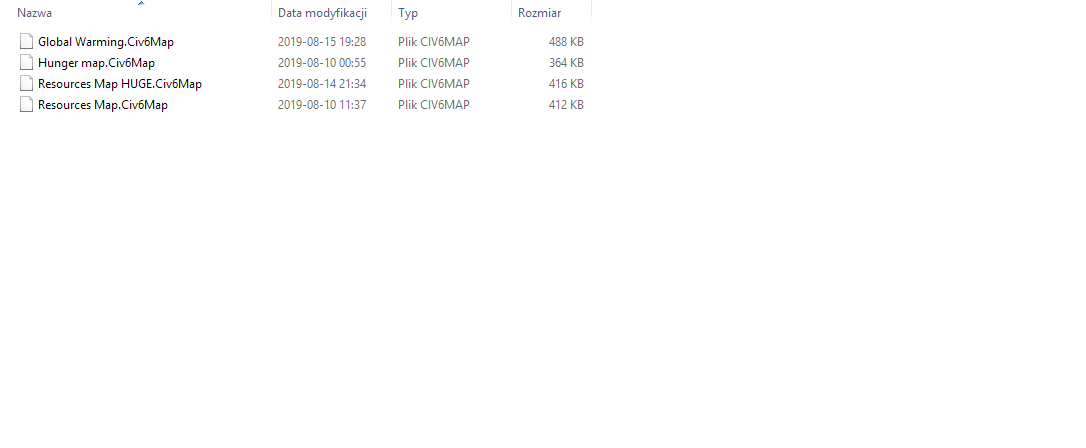
Go to Documents\My games\Sid Meier's Civilization VI\Saves\WorldBuilder
and select your map file
Final steps
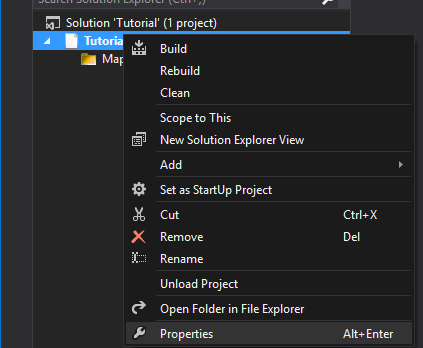
Open Properties of your map, right click/ properties


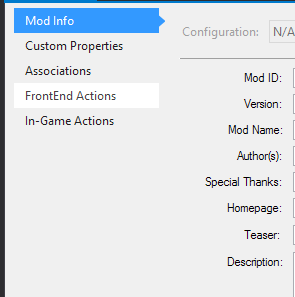
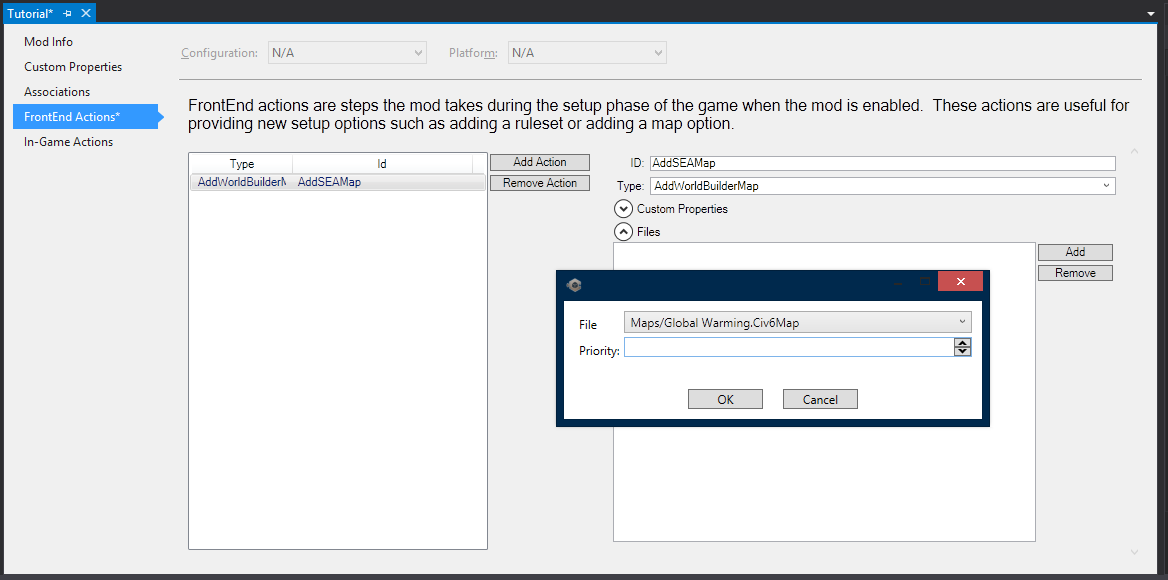
Go to FrontEnd Actions


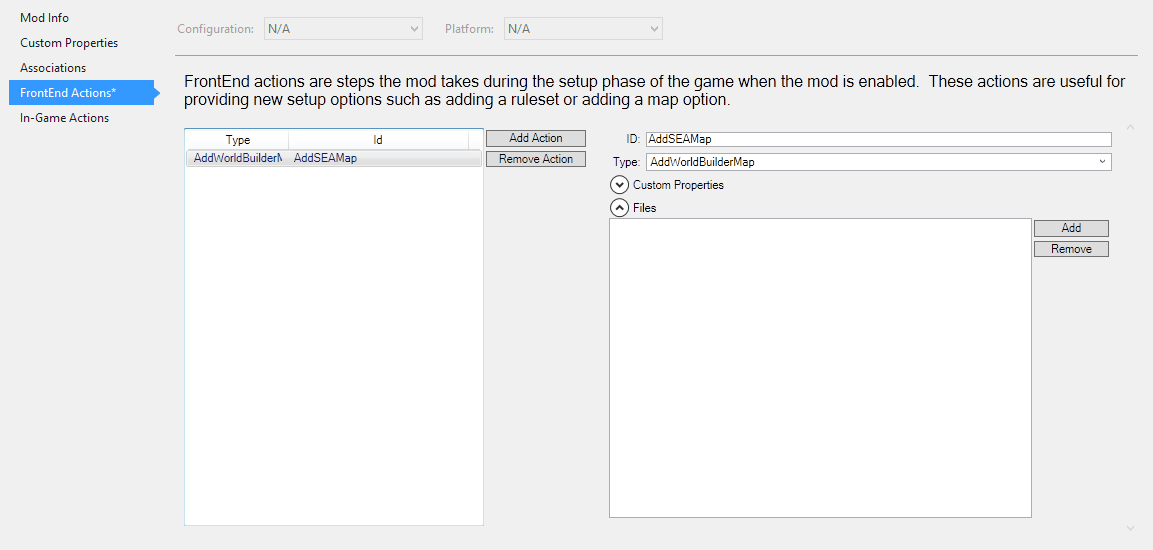
Add Action, change the ID section to "AddSEAMAP" and the type to "AddWorldBuilderMap"


Go to files tab and click "ADD", then select your map (Mine is called "Global Warming" don't ask) and click OK


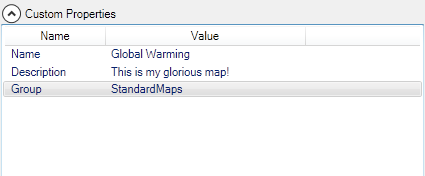
Add 3 Custom Properties:
  • Name - "Name"
  • Description - "Your description"
  • Group - StandardMaps

Save the Map (CTRL+SHIFT+S) and build it to check if everything is correct (CTRL+SHIFT+B)
Upload to Steam

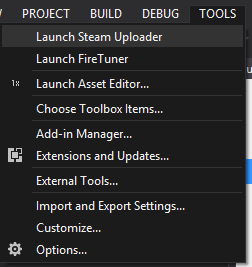
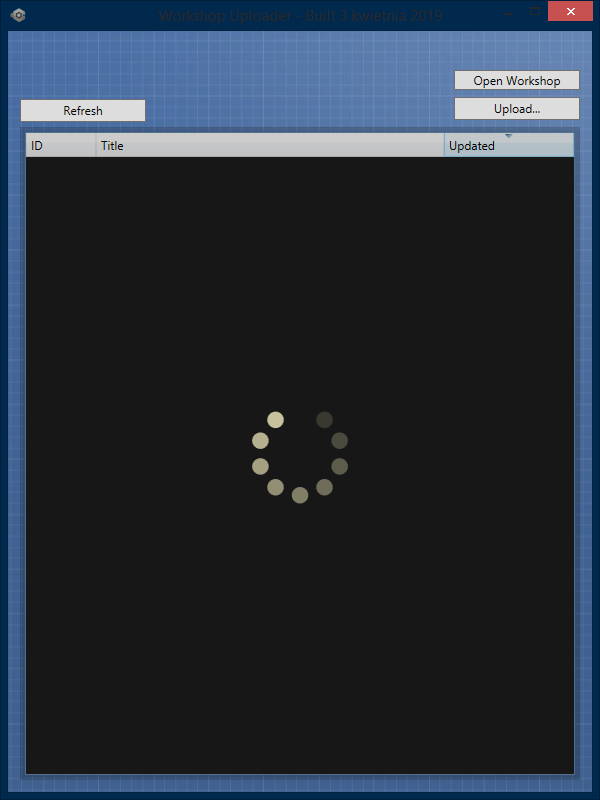
Go to TOOLS/ Launch Steam Uploader and click Begin


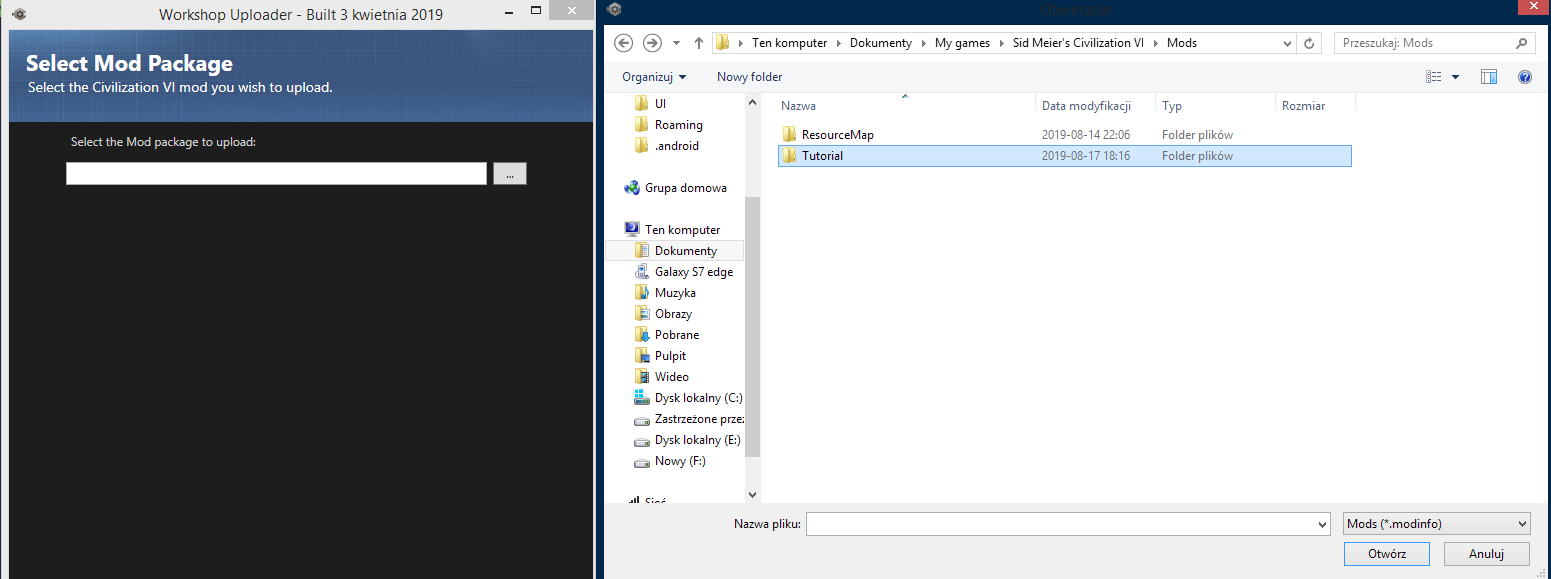
Click "Upload" Button

Choose your map file from \Documents\My games\Sid Meier's Civilization VI\Mods (Its the .modinfo file)

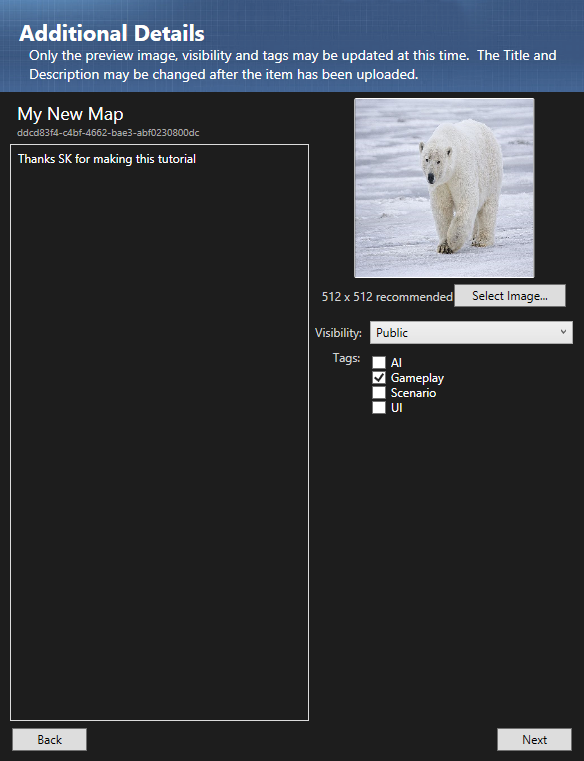
Add your photo and the descrption for the Workshop item

Then click upload and wait a few seconds

To check if your map is uploaded corectly, go to your Steam Profile/ Workshop Items
Additional info
38 Comments
Alex Wift 11 Jul, 2024 @ 5:53am 
i need help i did everything step by step but when i want to upload it i cant find the mod where its supposed to be
Venboven 9 Jun, 2024 @ 5:32pm 
Why are there 2 copies of my mod in my "additional content" list? One has the community content icon, while the other has the map mod icon. Aren't they one and the same? Why are they separated?
Despresso 12 May, 2024 @ 9:24am 
When I try to upload my scenario to steam it says it's downlading 0 out of something and then 0 out of 0 and finishes. Then when i try to play the map it crashes and says to check the log.
Guy Man Lad 24 Mar, 2024 @ 10:39pm 
Ask a technology ape I appreciate an easy to follow tutorial, thank you.
Kohna_401 30 Nov, 2023 @ 4:36am 
THIS KEEPS SHOWING UP ON GOOGLE WHENEVER I LOOK UP HOW TO UPLAOD A CIV 5 ( FIVE) ( ♥♥♥♥♥♥♥ NUMBER FIIIIVE) 5555) A CIV V MAP AND NOW I CANT FIND OUT HOW TO UPLAOD ONE BECUSAE OF YOUR STUPID TUTORIAL AHG I HATE YOU I CURSE YOUR BLOOD LINE FOR TEN THOUSAND YEARS
Tony. 13 Sep, 2023 @ 9:55pm 
now that im reading my files again, why do they all say 1 KB
Tony. 13 Sep, 2023 @ 9:47pm 
I checked the mod page and it only says it has a size of 0.001 MB. I think I did something wrong
Little Beepo 8 Feb, 2023 @ 7:20pm 
This worked well! Thanks a lot!!
AncientSwan 2 Jun, 2021 @ 11:23am 
Works great, thanks :)
SolGuardian 26 Mar, 2021 @ 10:57am 
!!! Make sure to disable you mods that you don't want required before/when building your map guys